
3 cheap tools that solve ADHD time blindness better than any app
Without downloading anything or building a new routine.

Hey there!
It’s 8:52 in the morning, I have a patient in eight minutes, and I’m finishing a note with no felt sense that the time is actually draining.
I know what time it is, but knowing and feeling are two different functions, and the second one is where the ADHD brain fails. Every planner and reminder system I’ve tried assumes I can feel time moving. I can read a clock. The felt sense of time running out isn’t available to me the same way it is for a neurotypical brain. The fix required taking that function out of my brain entirely and putting it into the room around me.
So today I’m going to show you the 3 anchors I actually use to make time physically visible, so your brain has something real to work with when its internal clock won’t fire.
Let’s walk through each one.
Time-management tools fail because they assume you can sense time without seeing it.
This is the part of the puzzle nobody tells you, and it changes everything that comes after.
Every mainstream productivity tool, from time-blocking calendars to task apps to reminder systems, is built on the same hidden assumption: that the user has a relatively reliable internal sense of how much time has passed and how much is left. That sense is what lets a neurotypical brain look up from a task and accurately estimate “I have about twenty minutes before I need to leave.” For an ADHD brain, that estimate is genuinely unavailable. Barkley calls it time blindness: a genuine, measurable deficit in the brain’s ability to perceive temporal distance. Twenty minutes from now and three hours from now occupy the same emotional space as something not happening at all.
This is why the planner doesn’t fix anything. The planner contains the schedule, but the schedule lives in the future, and the future doesn’t feel real. By the time the appointment becomes real (which is roughly the moment it’s now), you’re already late. The reminder fired thirty minutes ago. You glanced at it, registered it cognitively, and moved on. Cognitive registration isn’t the same as time perception.
The fix is a tool that makes time itself perceivable.
Anchor #1: a visual countdown timer running on your desk all day.
This is the single most powerful time anchor I’ve installed in my own day, and the one I recommend first to patients.
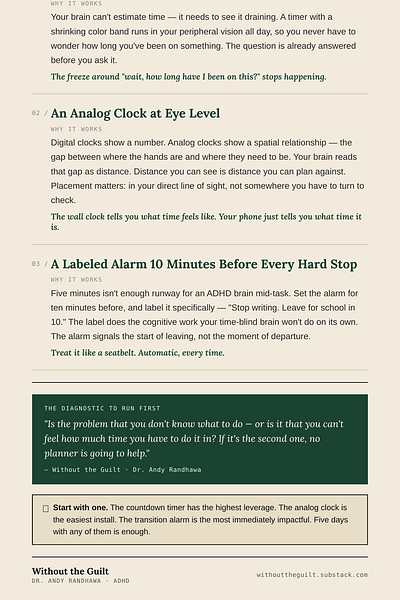
A visual countdown timer is exactly what it sounds like. A physical timer with a visible decreasing display, sitting on your desk in your direct line of sight, running constantly. A continuous visual representation of time draining in real time, always in view. Models with a color band that visibly shrinks as the time runs down work especially well, because peripheral vision picks up the change without you having to actively check. Your brain stops needing to estimate how much time is left. The timer is doing it for you, in a format your brain can actually read.
Use it for individual tasks. 25 minutes for the email reply. 45 minutes for the deep-work block. The point is to spend the entire task with a continuous, visible signal of how much time you’ve spent and how much is left. The freeze that usually happens around “wait, how long have I been on this” stops happening, because the question is already answered in your peripheral vision.
This single tool does more for time perception than any planner ever has, in my experience and in my patients’.
Anchor #2: an analog clock at eye level wherever you spend the most time.
This one sounds simple. It changes more than people expect.
Digital clocks display a number. The number is information, but it’s not perception. 2:47 doesn’t tell your brain anything about how 2:47 feels in relation to 3:15. An analog clock displays the same information as a spatial relationship. You can see the gap between where the hands are and where they need to be. Your brain processes that visually, the way it processes physical distance, and that processing is intact in ADHD even when temporal estimation isn’t. Distance you can see is distance you can plan against.
Place one at eye level wherever you do the most time-sensitive work: above your monitor, on the kitchen wall, by the front door. The placement matters more than the clock itself. A beautiful analog clock you have to turn your head to see is functionally useless. A cheap one in your direct line of sight will quietly recalibrate your sense of time across the entire day. You absorb it ambiently rather than checking it deliberately. That ambient absorption is the whole point.
Stop relying on your phone for the time. The phone tells you what time it is. The wall clock tells you what time feels like.
Anchor #3: a transition alarm 10 minutes before every hard stop.
This is the anchor that prevents the most common ADHD time failure: the one where you genuinely believed you had longer than you did.
A hard stop is anything you can’t be late for: a meeting, a school pickup, a phone appointment, a flight. The standard mistake is to set a reminder for the moment of the hard stop itself, or maybe five minutes before. For an ADHD brain mid-task, five minutes is not enough runway. The transition out of focus, the gathering of belongings, the actual physical movement to wherever you need to be, all of that takes longer than a non-ADHD brain estimates. So you set the alarm for ten minutes before, and you label it specifically. Something like “Stop writing. Leave for school in 10.” The label does the cognitive work your time-blind brain isn’t going to do on its own.
Ten minutes is the minimum. For tasks you tend to lose yourself in, push it to fifteen. The alarm signals the start of the leaving process, not the moment of departure. That difference is usually the difference between on-time and late.
Set these the moment you make any plan with a hard stop. Treat it like a seatbelt: automatic, every time.
Make time visible. The rest follows.
The next time a time-management system stops working, run the diagnostic before you go shopping for a new one.
Is the problem that you don’t know what to do, or is the problem that you can’t feel how much time you have to do it in? If it’s the second one, no planner is going to help. Better perception is the fix, not better management. Pick one of the three anchors and install it this week. Start with the countdown timer, which has the highest leverage. The analog clock is the easiest install. The transition alarm is the most immediately impactful. You don’t need all three at once. Five days with one of them is enough to know whether the problem you’ve been trying to solve was actually the problem.
Time blindness is a perception problem, not a character flaw. You’ve been trying to manage something that lives outside your perception. Make it visible, and you can finally start working with it.
Thank you for this, super helpful.
The transition alarm point is the one that compounds hardest in households. Ten minutes before a hard stop is enough runway for one person managing their own departure. In a household where the same person is also responsible for initiating two children through their own departure sequences... shoes, bags, coats, the thing that was right there... the runway needs to be closer to twenty-five minutes, and the alarm has to fire before the children have started, not before the adult needs to leave.
The visual timer on the desk also works differently in a shared space: a timer running in a kitchen where everyone can see it does the ambient time perception work for the whole household, not just the person who set it.
These tools scale beyond the individual: they change what the shared environment feels like to everyone operating inside it.
Thank you. Late diagnosed women here and its soo hard to find valuable techniques for adhd. Ive read so many books that just re-package "just buy a planner and write it down." Like bro, I spent $30 for this!?!?!